AI Crawler Checker
Who Can Read Your Site?
See which AI crawlers your robots.txt allows. Enter a domain and get a verdict for OpenAI, Anthropic, Perplexity, Google, Microsoft, Apple, Meta, Amazon and more, grouped into search, user fetch and training, with the exact rule and line that decides each one. Your pasted text never leaves your browser.
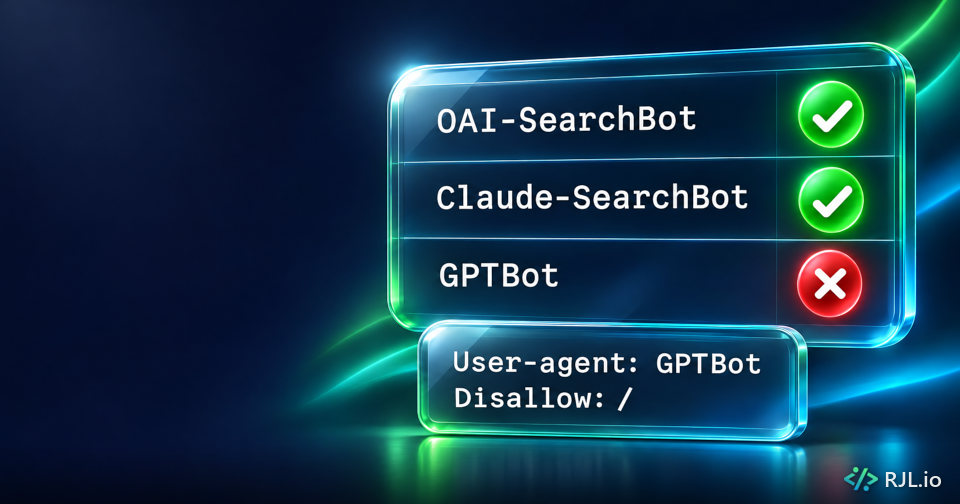
AI Crawler Checker Tool
Check a domain
Only the domain name is sent, through the RJL.io proxy, to fetch a public file.
Or paste a robots.txt
Crawler by crawler
Is this path allowed?
AI usage signals in this robots.txt
The robots.txt we read
Common Use Cases
Why Am I Not Cited?
If an AI search engine never mentions your site, check first that its search crawler is allowed. A blocked search crawler is the quickest thing to rule out.
Allow Search, Block Training
Many publishers want to appear in AI answers without feeding model training. Confirm that your rules do exactly that and nothing more.
Test a Draft First
Paste a new robots.txt before it goes live and see what every crawler would do with it. A stray Disallow: / is easy to miss.
Check One Section
Use the path tester to ask whether /docs/, /blog/ or /pricing/ is open to a given crawler, and which line decides it.
Client and Team Reviews
Marketing, IT and SEO teams can check any public site in seconds and copy a plain-text report for a ticket or an email.
After a Migration
A new CMS or host often ships a different robots.txt. Run the check after a launch to confirm nothing was blocked by accident.
Reference: The Three Kinds of AI Crawler
Search
Decide whether your pages show up in search results and AI answers. Block these and that engine cannot cite you.
OAI-SearchBot, Claude-SearchBot, PerplexityBot, Googlebot, Bingbot, Applebot, Amzn-SearchBot, DuckAssistBot
User fetch
Visit one page because a person asked an assistant about it. Several operators say these fetchers may not follow robots.txt.
ChatGPT-User, Claude-User, Perplexity-User, Meta-ExternalFetcher, Amzn-User, MistralAI-User
Training
Collect content that may be used to train models. Blocking these is a choice about your content, not a fix for a problem.
GPTBot, ClaudeBot, Google-Extended, Applebot-Extended, Meta-ExternalAgent, Amazonbot, CCBot
Where each description comes from
Every crawler's purpose and robots.txt behavior is taken from its operator's own page. Operators change these, so check the source before you rely on a detail.
Pro Tip: Link Straight to a Check
Add a domain to the address to run the check on load: /ai-crawler-checker/?domain=example.com
Handy for bookmarks and for sending a teammate the result of a site. Only the domain name goes in the link; pasted robots.txt text is never put in an address.
Frequently Asked Questions
Enter your domain and press Check robots.txt. The tool reads your robots.txt file and shows, for each known AI crawler, whether it is allowed, blocked or partly blocked, and which rule and line decided it. You can also paste a draft robots.txt to test it before you publish.
Search crawlers such as OAI-SearchBot, Claude-SearchBot and PerplexityBot decide whether your pages can appear in search results and AI answers. User-fetch agents such as ChatGPT-User, Claude-User and Perplexity-User visit a page because a person asked an assistant about it. Training crawlers such as GPTBot and ClaudeBot collect content that may be used to train models. Each company lets you control them separately.
No. OpenAI uses separate crawlers. It says disallowing GPTBot indicates your content should not be used to train its generative AI foundation models, while OAI-SearchBot is the crawler that surfaces sites in ChatGPT search. To stay in ChatGPT search, keep OAI-SearchBot allowed.
robots.txt is a voluntary standard, and some operators say so about their user-fetch agents. OpenAI says robots.txt rules may not apply to ChatGPT-User. Perplexity says Perplexity-User generally ignores robots.txt. Meta says Meta-ExternalFetcher may bypass it, and Amazon says Amzn-User may not follow all directives. Anthropic says its bots honor robots.txt. This tool marks those agents so a verdict is never read as a guarantee.
The crawler can reach your home page but some paths are disallowed (for example Disallow: /private/), or the whole site is disallowed except for some Allow rules. The row lists those paths and their line numbers, and the path tester shows the answer for any single page.
A group that names the crawler is used instead of the User-agent: * group. Inside a group the longest matching path wins, and a tie goes to Allow, as in the robots.txt standard (RFC 9309). An empty Disallow allows everything. Apple says Applebot follows your Googlebot rules when you have no Applebot rules, and the tool does the same.
They are extra lines some sites add to robots.txt to state how content may be used. Cloudflare's Content-Signal line takes search, ai-input and ai-train values of yes or no, for example Content-Signal: search=yes, ai-train=no. A signal you leave out means no preference was expressed. License and Content-Usage are other proposed ways to say the same kind of thing. All of them are voluntary and only some crawlers read them. The tool lists any it finds.
Crawlers treat a missing robots.txt as permission to fetch everything, so every crawler shows as allowed, training crawlers included. If you want some of them kept out, add rules; the robots.txt Generator builds them for you.
To read a domain's robots.txt the page asks the RJL.io proxy to fetch that public file, so the domain name reaches the proxy, which may log the request like any web server. A robots.txt you paste is analyzed in your browser and never sent anywhere. Nothing is saved in your browser or put in the page address except a domain you choose to share.
Give each training crawler (GPTBot, ClaudeBot, Google-Extended, Applebot-Extended and so on) its own group with Disallow: /, and leave the search crawlers allowed. The RJL.io robots.txt Generator has a preset for exactly this, and this checker confirms the result.
Why We Built AI Crawler Checker
A growing share of people now ask an AI assistant instead of opening a search page, and whether those assistants can read your site depends on a plain text file most owners wrote years ago. Companies run several crawlers each, for search, for fetching a page on request and for training, and the right choice for each one is different. A rule meant to keep training crawlers out can block the crawler that would have cited you, and a rule copied from a blog post may not do what you think.
AI Crawler Checker answers the question directly. It applies the same longest-match logic crawlers use, shows the line that decides each verdict and flags the user-fetch agents whose operators say robots.txt may not stop them. Every description links back to the operator's own documentation, so you can check a claim yourself, and nothing here is a promise about what any crawler will do.
AI Crawler Checker is part of RJL.io's collection of free developer tools. Write the rules with the robots.txt Generator, publish an index for assistants with the llms.txt Generator, and audit the rest of the page with the SEO Analyzer. See what a crawler reads on a page with What AI Sees.