Image Compressor
Optimize Images Without Quality Loss
Compress JPEG, PNG, and WebP images instantly. Adjust quality, resize dimensions, convert formats. See before/after comparisons and file size savings. 100% client-side. Zero data stored.
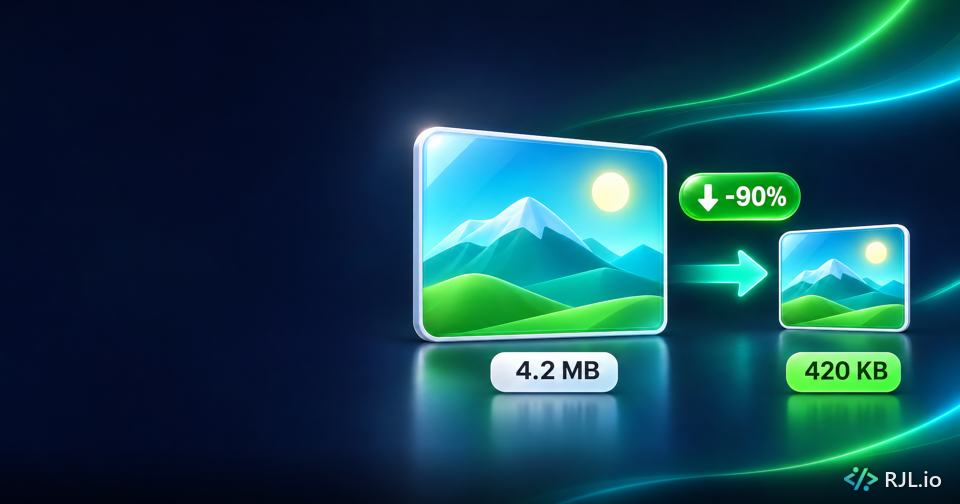
Image Compressor Tool
Upload Image
Drag & Drop Images Here
or click to browse - pick several to download them all as one ZIP
JPEG, PNG, WebP (max 50MB)
Saved
0 KB
Reduction
0%
Compression Settings
Uses the format, quality and resize settings above. The preview shows the first image.
Original Image
Compressed Image
Before / After
Drag the line itself anywhere along its length, or use the slider above or below the picture. The original is on the left and the compressed version on the right.
Common Use Cases
Website Optimization
Reduce image file sizes for faster page loading and improved Core Web Vitals scores.
Mobile App Assets
Optimize images for mobile apps to reduce app size and bandwidth usage.
Email Attachments
Compress images to meet email size limits while maintaining visual quality.
Social Media Sharing
Resize and compress images for optimal quality on Instagram, Facebook, and Twitter.
Storage Savings
Reduce disk space usage by compressing photo collections and archives.
Privacy-Safe Processing
Process sensitive images locally without uploading to external compression services.
Image Optimization Reference
Quality Control
Adjust compression quality from 1-100%. Higher values preserve more detail but create larger files.
Format Conversion
Convert between JPEG, PNG, and WebP. WebP typically offers the best compression for web use.
Smart Resizing
Resize images by maximum width or height while maintaining aspect ratio for proportional scaling.
Live Preview
Compare original and compressed images side-by-side to verify quality before downloading.
Savings Statistics
See exact file size reduction in KB and percentage to understand compression impact.
100% Private
All compression happens in your browser. Images never leave your device.
Frequently Asked Questions
Image compression reduces file size by removing redundant data or simplifying image details. This tool re-encodes images at your specified quality level, balancing file size and visual quality. JPG files are written with MozJPEG, which makes smaller files than a browser does at the same quality; PNG files are re-packed losslessly with OxiPNG, so every pixel stays the same; AVIF is written by a built-in encoder, so it works in every browser. All processing happens locally in your browser.
No! All image processing happens 100% client-side in your browser using JavaScript and the Canvas API. Your images never leave your device, making this tool safe for sensitive photos and completely private. The tool works fully offline once the page is loaded.
For web use, 80-85% quality provides excellent visual results with significant file size reduction. For photos where quality is critical, use 90-95%. For thumbnails or previews, 60-70% is often sufficient. Always preview the compressed image to ensure it meets your needs.
Use JPEG for photos and complex images with many colors. Use PNG for images requiring transparency or sharp edges like logos and graphics. Use WebP for modern websites as it offers the best compression while maintaining quality, though browser support is near-universal now but not 100%.
Yes! When compressing PNG images and keeping the output format as PNG, transparency is preserved. However, if you convert a PNG to JPEG, transparency will be replaced with a solid background color since JPEG does not support transparency.
Downsizing images (making them smaller) typically maintains good visual quality and significantly reduces file size. Upsizing images (making them larger) will result in quality loss and pixelation. For best results, start with the largest original image and resize down to your target dimensions.
The tool supports images up to 50MB. Since all processing happens in your browser, very large images may take longer to process depending on your device's performance. For batch compression of many large images, consider processing them one at a time.
Yes. When images are processed through the Canvas API, EXIF metadata (including GPS location, camera settings, and timestamps) is removed from the output file. This enhances privacy but also means you'll lose this information if you need it. Each compressed file is branded with RJL.io in its metadata: author RJL.io, copyright (current year) RJL.io, a title, a description, tags and the program name. (JPEG, PNG and WebP; AVIF files are written without it)
Yes! This tool simply compresses your existing images - you retain all ownership and rights to your images. The compression process does not alter licensing or usage rights. Use the compressed images anywhere you could use the originals.
Typical compression results vary by image type. Photos often compress 50-70% at quality 85%. Screenshots and graphics may compress 70-90%. Results depend on the original image format, content complexity, and target quality. Use the live preview to find the optimal balance for your needs.
Why We Built This Image Compressor
Large image files slow down websites, consume bandwidth, and frustrate users on slow connections. Every megabyte of image data means longer page load times, higher hosting costs, and worse search engine rankings. Yet many developers continue uploading unoptimized images because compression tools are complicated or require uploading sensitive images to external services.
Most online image compression services require you to upload your images to their servers. This creates privacy concerns, especially for personal photos, proprietary product images, or confidential documents. You're trusting a third party with your visual content, and you have no guarantee about how long they store your images or who might access them.
We built this Image Compressor to solve both problems. It runs entirely in your browser using the HTML5 Canvas API. Your images never leave your device - there's no upload, no server processing, no tracking. This makes it safe for any image, including sensitive photos, confidential mockups, and proprietary content. The tool works completely offline once loaded.
The compressor supports modern formats like WebP alongside traditional JPEG and PNG. You can adjust quality, resize dimensions, convert formats, and see real-time previews of before and after compression. The savings statistics show exactly how much bandwidth you're saving, helping you make informed decisions about the quality-size tradeoff.
Image Compressor is part of RJL.io's collection of free developer tools. Check out our Code Screenshot Generator, Favicon Checker, and Diff Checker. Every tool is 100% client-side, works offline, and respects your privacy.