YAML JSON Converter
Bidirectional Conversion
Auto-detects format. Convert between YAML and JSON instantly with syntax validation and detailed error messages, and read and write TOML and INI too. Customize indentation and formatting options. 100% client-side. Zero data stored.
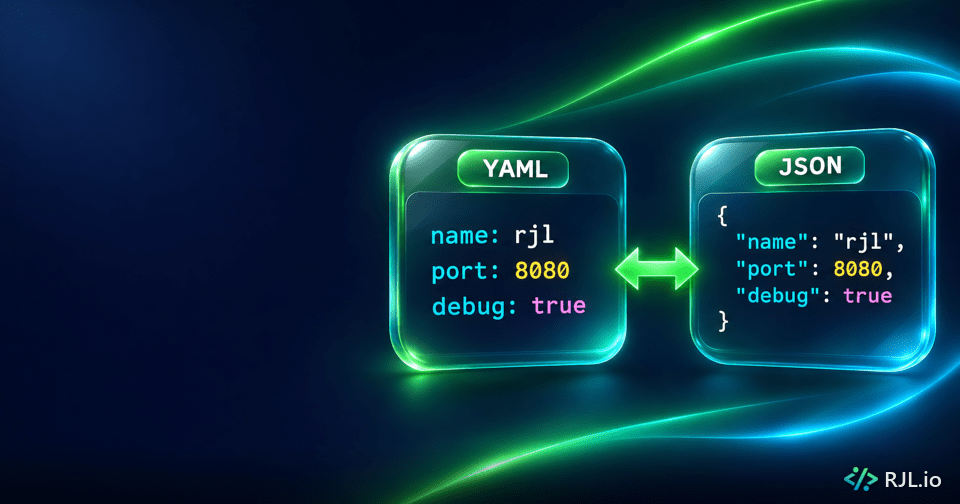
YAML JSON Converter Tool
Input
Output
Common Use Cases
Docker Compose
Convert docker-compose.yml to JSON for programmatic manipulation or validation with JSON Schema.
Kubernetes Configs
Transform Kubernetes YAML manifests to JSON for API requests or convert JSON responses back to YAML.
API Development
Convert OpenAPI/Swagger specs between YAML and JSON formats for different tooling requirements.
GitHub Actions
Debug GitHub Actions workflows by converting YAML to JSON for easier parsing and analysis.
Config Files
Convert application configuration between YAML (human-readable) and JSON (machine-readable) formats.
Data Migration
Transform data exports between formats when integrating systems with different format requirements.
Format Reference
YAML Features
- Human-readable with minimal syntax
- Uses indentation for structure (no brackets)
- Supports comments with # symbol
- Multi-document support with ---
- Anchors (&) and aliases (*) for references
JSON Features
- Native JavaScript format
- Uses brackets { } and [ ] for structure
- Strict syntax (quoted keys, no trailing commas)
- Universal API data interchange format
- Widely supported by all languages
TOML Support (1.0 and 1.1)
- Tables, dotted keys, arrays of tables and inline tables, with the TOML rules for duplicates
- Basic, literal and multi-line strings with every escape
- Integers in decimal, hex, octal and binary with underscores; floats with inf and nan
- Offset and local dates and times (written to JSON as text)
- The TOML 1.1 additions too: optional seconds in times, \x and \e escapes, and inline tables that span lines. JSON null has no TOML form, so it is left out with a warning
INI Rules
- [section] headers; a dot nests, so [a.b] becomes an object inside a
- key = value or key: value, with ; or # comments
- A repeated key, or key[], becomes a list; quoted values stay text
- true, false and plain numbers convert unless you untick the box
- Not supported: multi-line values and line continuation. JSON to INI cannot write a list of objects
Frequently Asked Questions
The converter first attempts to parse the input as JSON. If that fails, it tries YAML. This approach works because valid JSON is also valid YAML, so JSON will always be detected correctly. If both fail, the error message indicates what went wrong with each parser.
No. JSON does not support comments, so any comments in your YAML will be lost during conversion. This is a limitation of the JSON format itself, not the converter. If preserving comments is important, keep a copy of your original YAML file.
YAML anchors (&anchor) and aliases (*alias) are resolved during conversion. The JSON output will contain the full expanded values. For example, if you reference the same data in multiple places using aliases, each reference becomes a separate copy in the JSON output.
Yes! YAML files with multiple documents (separated by ---) are converted to a JSON array where each element represents one document. When converting back to YAML from such an array, the documents are restored with --- separators.
YAML does not allow tabs for indentation - only spaces are valid. The error message will indicate the line number where the tab character was found. Replace all tabs with spaces (typically 2 spaces per indentation level) to fix this issue.
No. All conversion happens entirely in your browser using JavaScript. No data is ever transmitted to any server. This means your configuration files, API specs, and sensitive data remain completely private. The tool works fully offline once the page is loaded.
Yes. Choose TOML or INI in the Format box, and the mode buttons become TOML to JSON and JSON to TOML (or INI). TOML 1.0 is read in full, along with the 1.1 additions: tables, arrays of tables, inline tables, every string form, hex, octal and binary integers, and dates. INI has no standard, so the rules this tool follows are listed under INI Rules. Neither format can hold JSON null, so null is left out and a warning says where.
JSON cannot hold everything TOML and INI can. TOML dates and times stay as the text you wrote, because JSON has no date type. TOML integers beyond 9007199254740991 lose precision, and nan and inf become null; a warning appears in each case. In INI every value is text, so true, false and plain numbers are converted for you unless you untick Convert numbers and booleans.
Why We Built YAML JSON Converter
Modern DevOps workflows constantly switch between YAML (Kubernetes, Docker Compose, GitHub Actions) and JSON (APIs, configuration, data interchange). Developers need a fast, reliable way to convert between these formats without installing command-line tools or uploading sensitive configuration files to third-party services.
Unlike online converters that send your data to external servers, this tool processes everything locally in your browser using the industry-standard js-yaml library. Your Docker secrets, Kubernetes configs, and API credentials never leave your computer.
We added features developers actually need: auto-format detection so you don't have to specify the input type, detailed error messages with line numbers for debugging, and flexible output formatting options including minification for production use.
YAML JSON Converter is part of RJL.io's collection of free developer tools - each designed to do one thing exceptionally well, with no accounts, no tracking, and no data collection. Check out our other tools: JSON Tools, Pretty Print, Diff Checker, and more.