CSV to JSON Converter
And JSON Back to CSV
Paste, drop, or open a file. Converts CSV and TSV to clean JSON with delimiter auto-detect, RFC 4180 quoting, type inference, nested keys, and a row-by-row error report - then converts JSON back to Excel-ready CSV. 100% client-side. Zero data stored.
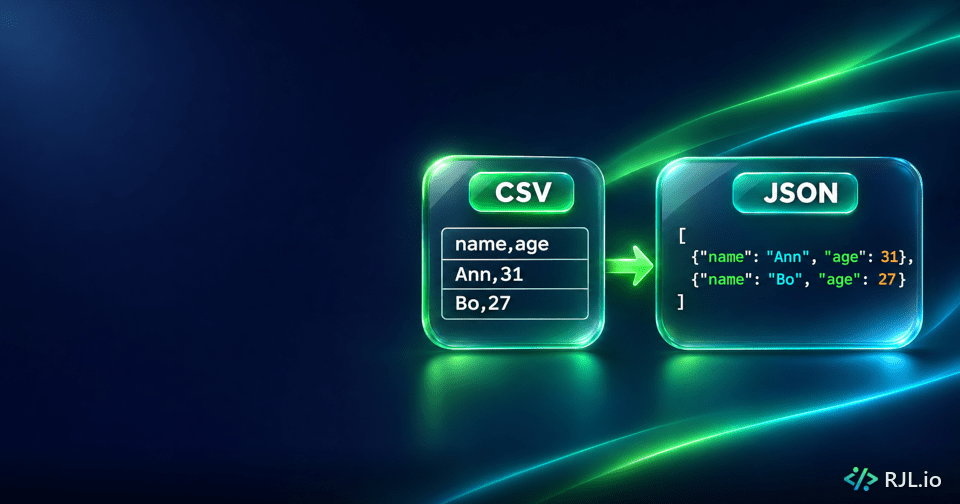
CSV to JSON Converter Tool
Options
Table Preview
The parsed rows appear here so you can check columns line up.
Common Use Cases
Mock API Data
Turn a spreadsheet of sample records into a JSON array for a mock API, a Storybook story, or a front-end prototype in seconds.
Database Seeding
Convert exported CSV into typed JSON or NDJSON for MongoDB, Elasticsearch, Firestore, or a seed script - with numbers and booleans already typed.
JSON to Excel & Sheets
Flatten an API response into CSV that opens cleanly in Excel or Google Sheets, with CRLF line endings and formula protection when you need them.
Config & Translation Tables
Keep feature flags, pricing tiers, or i18n strings in a spreadsheet, then generate nested JSON from dot.notation column headers.
QA Test Fixtures
Let testers maintain test cases in a sheet and convert them into JSON fixtures for Jest, Playwright, or Postman data-driven runs.
Data Cleanup
Find the broken rows in a messy export - the error report lists each row and line with the wrong number of values before you import it anywhere.
CSV Rules & Type Inference Reference
How Cells Are Read (RFC 4180)
| CSV cell | Value |
|---|---|
| "Smith, John" | Smith, John - quotes protect the comma |
| "6"" tall" | 6" tall - a doubled quote is one quote |
| "line one line two" | A value with a line break inside it |
| a,,c | The middle value is empty |
| (UTF-8 BOM) | Removed automatically - Excel adds it to "CSV UTF-8" files |
Type Inference Rules
| Cell | JSON | Why |
|---|---|---|
| 42 | 42 | Plain number |
| 3.14 | 3.14 | Decimal number |
| 00501 | "00501" | Leading zero (ZIP codes, IDs) stays text |
| 9007199254740993 | "9007..." | Too big for an exact JavaScript number |
| true / FALSE | true / false | Boolean |
| null | null | Literal null |
| ["a","b"] | ["a","b"] | Valid JSON array or object text |
| (empty) | "" or null | Your choice in Options |
, Comma
The default for CSV exports from most databases, APIs, and US/UK spreadsheets.
; Semicolon
Excel's default in locales that use a comma as the decimal separator (most of Europe).
\t Tab
TSV files and anything copied straight out of Excel or Google Sheets onto the clipboard.
| Pipe
Common in mainframe, EDI, and log exports where commas appear in the data itself.
Frequently Asked Questions
Paste the CSV into the input box, drop a .csv or .tsv file onto it, or click Open File. The JSON appears instantly on the right. By default the first row becomes the property names and every other row becomes one object in an array. Copy the result or download it as a .json file.
Yes. The parser follows RFC 4180: a value wrapped in double quotes can contain the delimiter, line breaks, and quotes written as two double quotes. If a quote is never closed, the converter reports the line where the quoted value started instead of silently merging rows.
Yes. Auto-detect tries comma, tab, semicolon, and pipe, ignoring any that appear inside quoted values, and picks the one that splits the first rows into the most consistent number of columns. The status line shows which delimiter was used, and you can override it or enter any single custom character.
Values that would change if turned into numbers are kept as text. A ZIP code like 00501 would lose its leading zeros, and an ID like 9007199254740993 is larger than JavaScript can store exactly, so both stay strings. Turn off type detection to keep every value as a string.
Name the columns with dots, such as address.city and address.zip, and turn on "Nest dot.notation headers". Each row then becomes an object with a nested address object. Going the other way, "Flatten nested objects" in JSON to CSV mode writes the same dot.notation columns, so the two directions round-trip.
By default they are skipped and listed in a report with the row number, source line, expected and actual value counts, and a preview, so nothing is silently shifted into the wrong column. If you would rather keep them, choose "Keep them" in Options: missing values become null and extra values get column_N keys.
Yes. Switch to JSON to CSV and paste an array of objects, a single object, or newline-delimited JSON. Turn on Windows line endings for the most compatible file, and "Neutralize spreadsheet formulas" when the data came from users, so a value starting with = cannot run as a formula when the file is opened.
By default a nested object or array is written into its cell as JSON text, the same as the JSON Tools converter on this site, so no data is lost. With flattening on, nested objects become dot.notation columns while arrays stay JSON text. When read back with type detection on, that JSON text becomes a real array or object again.
There is no fixed limit - the only limit is your device's memory. Files of several megabytes convert in a moment. For very large inputs, live conversion pauses automatically and you click Convert when ready, and the preview table shows the first 100 rows so the page stays responsive.
No. Files are read by your browser and converted with JavaScript on your device. Nothing is uploaded, logged, or stored, so it is safe to use with customer lists, financial exports, and other confidential data.
Why We Built This CSV to JSON Converter
CSV looks simple until it is not: a comma inside an address, a line break inside a note, a semicolon-separated file from a European Excel install, or a ZIP code that a careless converter turns into the number 501. Most online converters either split rows on every comma or quietly shift values into the wrong column. We built this converter to get those cases right and to tell you exactly which rows did not fit.
It reads files with a full RFC 4180 parser, detects the delimiter, keeps values that would change as strings, and can nest dot.notation headers into real JSON objects. The same shared CSV engine powers the JSON to CSV direction and the CSV export in our JSON Tools, so a file written by one reads back identically in the other. Everything happens in your browser - your data never leaves your device.
The CSV to JSON Converter is part of RJL.io's collection of free developer tools. Format and validate the result with JSON Tools, convert configuration files with the YAML JSON Converter, and compare two exports with the Diff Checker.