Instant Markdown Viewer
Paste, Drop, or Link to See It Live
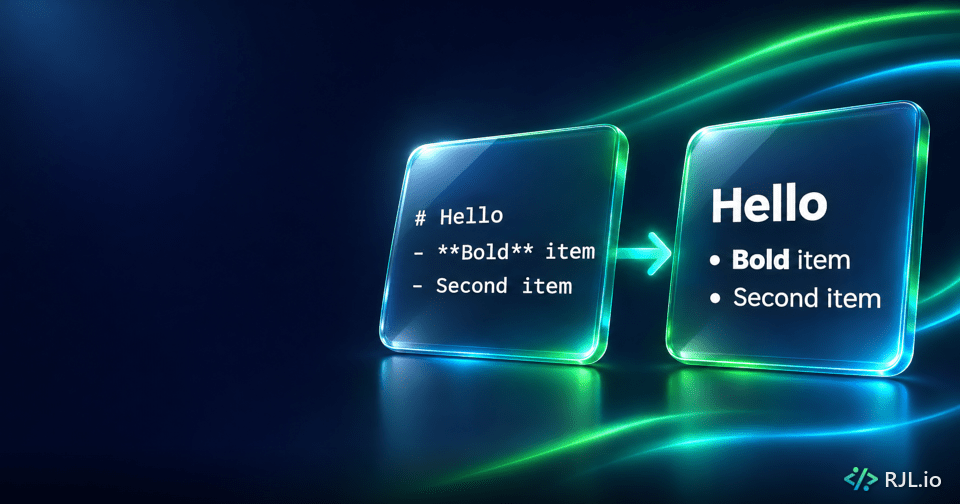
View markdown files beautifully rendered. A lightweight, privacy-focused viewer for local files and URLs, with an editor mode for live preview, tables and HTML to Markdown. Enjoy beautiful syntax highlighting and instant rendering without the privacy risks.
Instant Markdown Viewer
Editor: live preview, formatting toolbar, table generator and HTML to Markdown.
Error message
Load a markdown file to preview
Paste, upload, or fetch from URL above
Common Use Cases
README Files
Preview GitHub README.md files before committing. See exactly how your project documentation will look when rendered.
Documentation
View technical documentation, API guides, and wikis written in markdown with proper formatting and syntax highlighting.
Blog Posts
Preview blog posts and articles written in markdown before publishing to platforms like Jekyll, Hugo, or Gatsby.
Meeting Notes
Render meeting notes, project plans, and task lists with checkboxes and proper formatting for easy reading.
Course Materials
View educational content, tutorials, and course materials with properly rendered code examples and diagrams.
Export to PDF
Convert markdown files to PDF for sharing with team members who don't use markdown or for offline reading.
Markdown Rendering, Explained
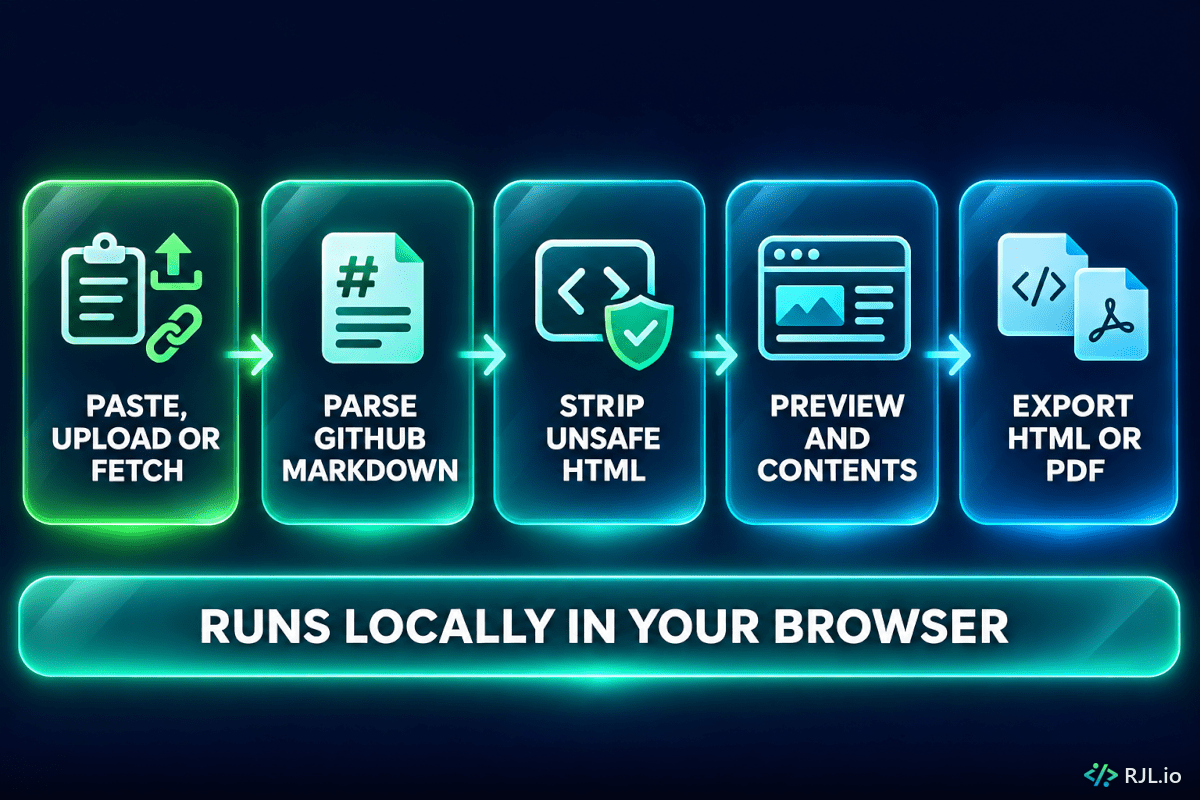
How it works
- Load. Paste text, drop a
.md,.markdownor.txtfile, or fetch a raw file by URL. - Parse. The text is converted to HTML using GitHub Flavored Markdown rules, so tables, task lists and strikethrough work. Fenced code blocks are highlighted by language.
- Clean. Scripts, embedded frames, inline event handlers and
javascript:links are removed from the result, so a document you did not write cannot run code in the preview. - Preview. Headings get anchors and a collapsible table of contents. Click a heading to copy a link to it.
- Export. Save the rendered document as a standalone HTML file or a PDF.
A single line break in your source becomes a line break in the preview, the way GitHub comments behave. To start a new paragraph, leave a blank line.
Syntax reference
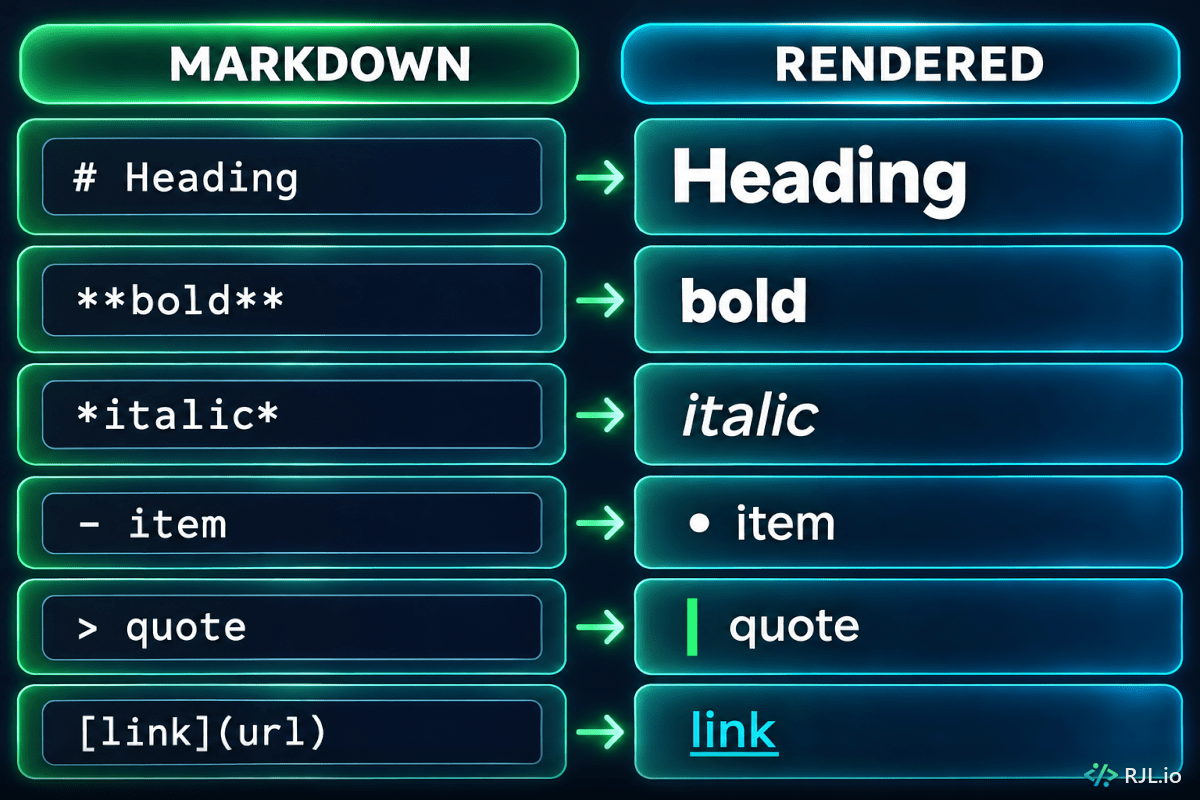
| Element | Syntax |
|---|---|
| Headings | # H1, ## H2, up to ###### H6 |
| Bold, italic | **bold**, *italic*, ***both*** |
| Strikethrough (GFM) | ~~removed~~ |
| Lists | - item or 1. item; indent to nest |
| Task list (GFM) | - [x] done, - [ ] to do |
| Link, image | [text](url),  |
| Inline code | `code` |
| Code block | Three backticks, then a language name |
| Table (GFM) | | a | b | then |---|---| |
| Block quote | > quoted text |
| Horizontal rule | --- on its own line |
Export to HTML
After a document is loaded, the HTML button saves the rendered result as one self-contained file you can email, host or open offline.
- All styling is embedded in the file, including code highlighting colors, so it needs no other files.
- The file contains no script and no event handlers. It is plain, safe markup.
- Headings keep their anchors, so links such as
report.html#summarystill work. - The color scheme (light or dark) matches the theme you were viewing when you exported. Printing always uses black on white.
- The file name follows the source:
README.mdis saved asREADME.html.
Need a paginated, printable file instead? Use the PDF button, or run the same text through the Text to PDF converter to control page size, margins, page numbers and a table of contents.
CommonMark vs GitHub Flavored Markdown
Markdown began as an informal description with ambiguous corners. CommonMark is the strict specification that settled them. GitHub Flavored Markdown (GFM) is a superset of CommonMark: everything valid in CommonMark renders the same, plus a few extensions.
| Feature | CommonMark | GFM |
|---|---|---|
| Headings, emphasis, lists, links, images, code, quotes | Yes | Yes |
| Tables | No | Yes |
| Task lists | No | Yes |
| Strikethrough | No | Yes |
| Bare URLs become links | No (needs angle brackets) | Yes |
Features specific to one website, such as @mentions, issue references like #123 or emoji shortcodes, are not part of either specification and show as plain text here.
Common mistakes and fixes
| You see | Why | Fix |
|---|---|---|
A heading shows a literal # | No space after the hash marks | Write # Title, not #Title |
| A table is plain text with pipes | The separator row is missing | Add |---|---| under the header row, with the same column count |
| A nested list is flat | The child item is not indented | Indent child items by two to four spaces |
| A list runs into the paragraph above | No blank line before it | Put a blank line before the first item |
| Code is not highlighted | No language after the opening backticks, or an unknown name | Use a common name such as javascript, python or sql |
| Underscores or asterisks vanish | They were read as emphasis markers | Escape with a backslash, or put the text in backticks |
| Raw script or frame code disappears | Scripts, frames and event handlers are removed for safety | Use Markdown syntax, or harmless HTML such as tables and images |
Frequently Asked Questions
Why We Built Instant Markdown Preview
Developers frequently need to preview markdown files - README files, documentation, notes, and more. Most markdown viewers are either bloated editors with features you don't need, or online tools that require uploading your files to unknown servers.
We built Instant Markdown Viewer as a simple, fast viewer with an editor mode when you need one. Upload a file, drag and drop, paste content, or fetch from a URL - and instantly see it rendered beautifully with GitHub Flavored Markdown support, syntax highlighting, and automatic Table of Contents generation. Switch to Editor mode to write with a live preview, build tables, and convert pasted HTML into Markdown.
Unlike online tools that send your data to external servers, Instant Markdown Viewer processes everything locally using JavaScript. This means your sensitive documentation never leaves your computer. The tool works completely offline once loaded, making it safe for enterprise environments and confidential content.
Instant Markdown Viewer is part of RJL.io's collection of free developer tools - each designed to do one thing exceptionally well, with no accounts, no tracking, and no data collection. Check out our other tools: Diff Checker, Pretty Print, Base64 Encoder, and more. Every tool is 100% client-side, works offline, and respects your privacy.