Developer Cheat Sheets
Commands You Actually Use
Git, Bash, Docker, npm, regex, SQL, CSS layout, curl, Markdown, PowerShell, cron, and chmod on one searchable page. Copy any command in one click, see dangerous commands flagged with a safer alternative, and print one topic or all twelve as a reference guide. 100% client-side. Zero data stored.
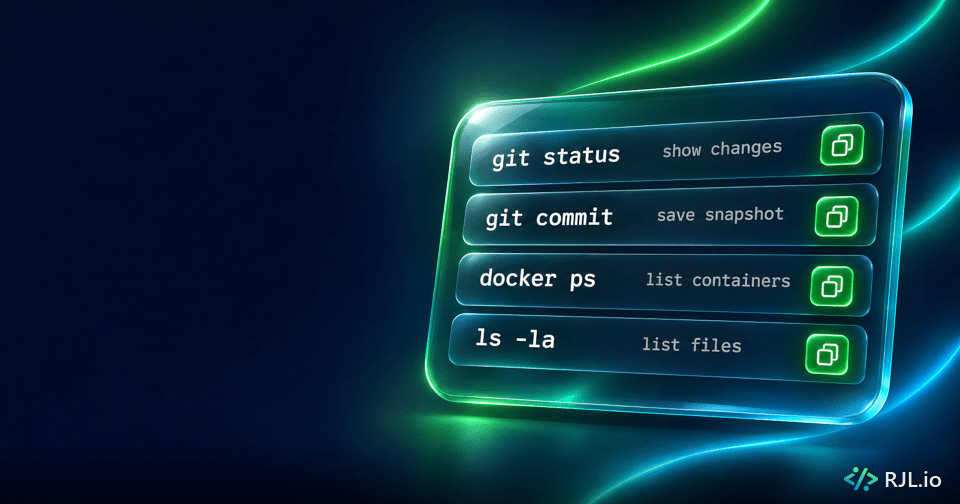
Searchable Developer Cheat Sheets
Everyday Git commands for branching, committing, syncing, and - most importantly - undoing mistakes safely.
-
git statusShow changed, staged, and untracked files on the current branch. -
git add -pStage changes hunk by hunk, reviewing each one before it goes in. -
git commit -m "Describe the change"Commit the staged changes with a message. -
git commit --amend --no-editFold staged changes into the last commit. Only before you push it. -
git switch -c feature/loginCreate a new branch and switch to it. -
git switch mainSwitch to an existing branch. -
git log --oneline --graph --decorate --allCompact history graph of every branch. -
git diff --stagedShow exactly what is staged for the next commit. -
git fetch --pruneDownload remote changes and forget remote branches that were deleted. -
git pull --rebaseUpdate your branch by replaying your local commits on top of the remote ones. -
git push -u origin HEADPush the current branch and set it to track the remote branch. -
git push --force-with-leaseForce-push after a rebase, but refuse if someone else pushed in the meantime. -
git restore --staged file.txtUnstage a file and keep your edits. -
git restore file.txtThrow away unstaged edits to a file.Careful: The discarded edits cannot be recovered. Safer:
git stash push file.txt -
git reset --soft HEAD~1Undo the last commit but keep its changes staged. -
git reset --hard HEADDiscard every uncommitted change in the working tree.Careful: Uncommitted work is lost for good. Safer:
git stash push -m "backup" -
git revert a1b2c3dCreate a new commit that undoes an earlier one - safe on shared branches. -
git stash push -m "wip"Shelve uncommitted changes; bring them back with git stash pop. -
git rebase -i HEAD~3Squash, reorder, or reword the last three commits (rewrites history). -
git cherry-pick a1b2c3dCopy a single commit onto the current branch. -
git reflogList where HEAD has been - the way to find "lost" commits after a bad reset. -
git blame -L 10,20 app.jsShow who last changed lines 10 to 20 of a file. -
git bisect startBinary-search history for the commit that introduced a bug (mark commits with git bisect good / bad). -
git tag -a v1.2.0 -m "Release 1.2.0"Create an annotated tag; push it with git push origin v1.2.0. -
git branch -d feature/loginDelete a branch that has been merged. -
git clean -fdDelete untracked files and folders.Careful: Untracked files are deleted permanently. Safer:
git clean -nd
The shell commands you reach for every day on Linux, macOS, WSL, and servers.
-
ls -lahList all files, including hidden ones, with human-readable sizes. -
cd -Jump back to the previous directory. -
mkdir -p app/src/utilsCreate nested directories in one step. -
cp -r src/ backup/Copy a directory recursively. -
mv old-name.txt new-name.txtMove or rename a file. -
rm -rf build/Delete a directory and everything in it without asking.Careful: No recycle bin - a typo in the path can wipe the wrong folder. Safer:
rm -ri build/ -
find . -name "*.log" -mtime +7Find .log files modified more than 7 days ago. -
grep -rn "TODO" src/Search files recursively and show line numbers. -
tail -f /var/log/syslogFollow a log file as new lines are written. -
command > out.txt 2>&1Send both output and errors to a file. -
command | tee out.txtShow output on screen and save it to a file at the same time. -
build && deployRun the second command only if the first one succeeds. -
export NODE_ENV=productionSet an environment variable for this shell and its child processes. -
ps aux | grep nodeFind running processes by name. -
kill -15 12345Ask a process to stop gracefully (SIGTERM). -
kill -9 12345Force-kill a process immediately (SIGKILL).Careful: The process gets no chance to clean up or save data. Safer:
kill -15 12345 -
lsof -i :3000See which process is listening on port 3000. -
df -hShow free disk space per filesystem. -
du -sh *Show the size of each file and folder in the current directory. -
tar -czf site.tar.gz site/Create a gzip-compressed archive (extract with tar -xzf site.tar.gz). -
ssh -i ~/.ssh/id_ed25519 user@serverConnect to a server with a specific key. -
rsync -avz --dry-run dist/ user@server:/var/www/Preview a sync to a server; remove --dry-run to copy for real. -
chmod +x deploy.shMake a script executable. -
history | grep sshSearch your command history (or press Ctrl+R to search interactively).
Unix permission numbers and symbols. Each digit is owner, group, others: read = 4, write = 2, execute = 1. Use the calculator below to convert.
chmod Calculator
| Who | Read | Write | Execute |
|---|---|---|---|
| Owner | |||
| Group | |||
| Others |
Symbolic rwxr-xr-x
Command chmod 755 file
-
chmod 755 deploy.shrwxr-xr-x: owner can do everything; group and others can read and run. Scripts and directories. -
chmod 644 index.htmlrw-r--r--: owner reads and writes; everyone else reads. Regular files. -
chmod 600 ~/.ssh/id_ed25519rw-------: owner only. SSH refuses private keys that others can read. -
chmod 700 ~/.sshrwx------: a directory only its owner can enter. -
chmod u+x run.shAdd execute permission for the owner only. -
chmod g-w shared.txtRemove write permission from the group. -
chmod -R 755 site/Apply permissions recursively to a whole tree.Careful: Marks every file as executable, not just directories. Safer:
find site/ -type f -exec chmod 644 {} + -
chmod 777 upload/Give everyone full access.Careful: Any user or compromised process can change or replace the files. Safer:
chmod 775 upload/ -
chown www-data:www-data -R /var/wwwChange the owner and group of files. -
umask 022Default permissions for new items: files 644, directories 755. -
chmod 1777 /tmpSticky bit: anyone can create files, but only owners can delete theirs. -
chmod 2775 shared/Setgid on a directory: new files inherit the directory's group.
Run, inspect, and clean up containers and images, plus the Docker Compose commands for multi-container apps.
-
docker ps -aList all containers, including stopped ones. -
docker run -d -p 8080:80 --name web nginxRun a container in the background, mapping host port 8080 to container port 80. -
docker run --rm -it ubuntu bashStart a throwaway interactive container that is deleted on exit. -
docker exec -it web shOpen a shell inside a running container. -
docker logs -f --tail 100 webFollow the last 100 log lines of a container. -
docker build -t myapp:1.0 .Build an image from the Dockerfile in the current directory. -
docker imagesList local images and their sizes. -
docker stop web && docker rm webStop and remove a container. -
docker cp web:/app/logs/app.log .Copy a file out of a container. -
docker inspect webShow full configuration, IP address, mounts, and state as JSON. -
docker statsLive CPU, memory, and network usage per container. -
docker compose up -dStart every service in compose.yaml in the background. -
docker compose logs -f apiFollow the logs of one Compose service. -
docker compose downStop and remove the Compose containers and networks (volumes are kept). -
docker compose build --no-cacheRebuild service images from scratch. -
docker system dfShow how much disk space images, containers, and volumes use. -
docker system pruneRemove stopped containers, unused networks, and dangling images.Careful: Adding -a or --volumes also deletes unused images and data volumes. Safer:
docker system df
Install, update, audit, and run JavaScript packages with npm and npx.
-
npm ciClean install exactly what package-lock.json says. Use it in CI. -
npm install expressAdd a dependency. -
npm install -D eslintAdd a development-only dependency. -
npm uninstall expressRemove a dependency. -
npm run buildRun a script from package.json (npm test and npm start need no "run"). -
npm outdatedList packages that have newer versions. -
npm updateUpdate packages within the version ranges in package.json. -
npm ls lodashShow why a package is installed and which version. -
npm auditCheck dependencies for known vulnerabilities. -
npm audit fix --forceFix vulnerabilities even when it needs breaking upgrades.Careful: Can install new major versions that break your app. Safer:
npm audit fix -
npx create-vite@latestRun a package command without installing it globally. -
npm version patchBump the patch version, then commit and tag it. -
npm publish --dry-runSee exactly what would be published without publishing. -
node --watch server.jsRestart a Node.js script whenever its files change. -
npm init -yCreate a package.json with default values.
JavaScript regex syntax with the patterns you need most. Try any of them live in the Regex Tester.
-
.Any character except a line break (any character at all with the s flag). -
\d \w \sA digit, a word character [A-Za-z0-9_], whitespace. Uppercase (\D \W \S) negates. -
\bA word boundary - \bcat\b matches "cat" but not "concat". -
^ $Start and end of the string (of each line with the m flag). -
* + ? {2,5}Zero or more, one or more, optional, between 2 and 5 times. -
.*?Lazy: match as little as possible instead of as much as possible. -
[abc] [^abc] [a-z]One of the listed characters, anything except them, or a range. -
(abc) (?:abc)Capturing group, and a group that does not capture. -
(?<year>\d{4})Named group - read it as match.groups.year. -
cat|dogAlternation: either side. -
(?=px) (?!px)Lookahead: followed by px, or not followed by px. -
(?<=\$)\d+Lookbehind: digits that come right after a dollar sign. -
\1 \k<year>Backreference to an earlier group: (\w)\1 finds doubled letters. -
/pattern/gimsuyFlags: global, ignore case, multiline, dotAll, unicode, sticky. -
\. \* \( \[ \\Escape special characters to match them literally. -
^\d{4}-\d{2}-\d{2}$An ISO date shape, YYYY-MM-DD (shape only, not a valid-date check). -
str.replace(/(\w+) (\w+)/, "$2 $1")Swap two words using group references in the replacement. -
[...str.matchAll(/\d+/g)]Every match with its groups and index (needs the g flag).
Standard SQL for querying and changing data. Syntax shown works in PostgreSQL, MySQL, SQLite, and SQL Server unless noted.
-
SELECT id, name FROM users WHERE active = 1 ORDER BY name;Filter and sort rows. -
SELECT DISTINCT country FROM users;Unique values only. -
WHERE name LIKE 'Ada%' AND age BETWEEN 18 AND 65Pattern match and inclusive range. -
WHERE deleted_at IS NULLTest for NULL - "= NULL" never matches. -
SELECT * FROM orders o JOIN users u ON u.id = o.user_id;Inner join: only rows that match on both sides. -
LEFT JOIN payments p ON p.order_id = o.idKeep every left row, with NULLs where nothing matches. -
SELECT country, COUNT(*) FROM users GROUP BY country HAVING COUNT(*) > 10;Aggregate per group and filter the groups. -
INSERT INTO users (name, email) VALUES ('Ada', '[email protected]');Insert a row. -
UPDATE users SET active = 0 WHERE id = 42;Change existing rows.Careful: Without WHERE, every row in the table is updated. Safer:
SELECT * FROM users WHERE id = 42; -
DELETE FROM sessions WHERE expires_at < CURRENT_TIMESTAMP;Delete matching rows.Careful: Without WHERE, every row is deleted. Run the same WHERE as a SELECT first. Safer:
BEGIN; DELETE ...; ROLLBACK; -
CREATE INDEX idx_users_email ON users (email);Speed up lookups and joins on a column. -
ALTER TABLE users ADD COLUMN last_login TIMESTAMP;Add a column to an existing table. -
WITH recent AS (SELECT * FROM orders WHERE total > 100) SELECT COUNT(*) FROM recent;Common table expression: a named subquery. -
ROW_NUMBER() OVER (PARTITION BY user_id ORDER BY created_at DESC)Window function: number rows within each group. -
COALESCE(nickname, name, 'Anonymous')First non-NULL value. -
CASE WHEN total > 100 THEN 'big' ELSE 'small' ENDConditional value in a query. -
BEGIN; ... COMMIT;Run several statements as one transaction (ROLLBACK to undo). -
SELECT ... ORDER BY id OFFSET 20 ROWS FETCH NEXT 10 ROWS ONLY;Standard paging (LIMIT 10 OFFSET 20 in PostgreSQL, MySQL, SQLite).
Layout recipes for modern CSS - centering, spacing, responsive grids, and the overflow fixes nobody remembers.
-
display: grid; place-items: center;Center anything horizontally and vertically. -
display: flex; justify-content: space-between; align-items: center;A row with items pushed to both ends and vertically centered. -
flex-direction: column; gap: 1rem;Stack items vertically with even spacing. -
flex-wrap: wrap;Let flex items wrap onto new lines. -
flex: 1;Let an item grow to fill the remaining space. -
flex-shrink: 0;Stop an item (an icon or avatar) from being squeezed. -
margin-left: auto;Push one flex item, and everything after it, to the right. -
min-width: 0;Let a flex or grid child shrink so long text truncates instead of overflowing. -
grid-template-columns: repeat(3, 1fr);Three equal columns. -
grid-template-columns: repeat(auto-fit, minmax(240px, 1fr));Responsive card grid with no media queries. -
grid-column: 1 / -1;Make a grid item span the full width. -
grid-template-areas: "header header" "sidebar main";Name layout regions and place items with grid-area. -
align-self: end; justify-self: start;Align a single item differently from the rest. -
order: -1;Move an item first visually (screen readers keep source order). -
aspect-ratio: 16 / 9;Keep a box at a fixed ratio, such as a video placeholder. -
position: sticky; top: 0;Stick an element to the top while its container scrolls.
Test APIs, inspect headers, and debug redirects and TLS from the command line. Pair it with the HTTP Status Codes reference.
-
curl -I https://rjl.ioFetch only the response headers (a HEAD request). -
curl -iL https://rjl.ioShow headers and body, and follow redirects. -
curl -sS -o report.pdf "$URL"Download quietly to a file, still showing errors. -
curl -X POST "$URL" -H "Content-Type: application/json" -d '{"name":"Ada"}'POST a JSON body. -
curl -H "Authorization: Bearer $TOKEN" "$URL"Send a bearer token from an environment variable. -
curl -u ada:secret "$URL"Basic authentication with the password on the command line.Careful: The password ends up in shell history and process lists. Safer:
curl -u ada "$URL" -
curl -F "[email protected]" "$URL"Upload a file as multipart form data. -
curl -s -o /dev/null -w "%{http_code} %{time_total}s\n" "$URL"Print only the status code and total time. -
curl -v "$URL"Verbose: see the TLS handshake, request headers, and response headers. -
curl --resolve rjl.io:443:203.0.113.10 https://rjl.ioTest a new server before changing DNS. -
curl --retry 3 --max-time 10 "$URL"Retry transient failures and give up after 10 seconds. -
curl --compressed "$URL"Ask for gzip or brotli and decompress automatically. -
curl -k https://localhost:8443Skip TLS certificate checks.Careful: Disables protection against man-in-the-middle attacks. Safer:
curl --cacert dev-ca.pem https://localhost:8443
GitHub-flavored Markdown for READMEs, issues, and docs. Preview it in the Markdown Viewer.
-
# Heading 1 ... ###### Heading 6Headings - one # per level. -
**bold** *italic* ~~strikethrough~~Text emphasis. -
[link text](https://rjl.io)A link. -
An image - always write meaningful alt text. -
- item
  - nested item
Bulleted list; indent two spaces to nest. -
1. first
2. second
Numbered list. -
- [ ] todo
- [x] done
Task list checkboxes. -
> Quoted textBlockquote. -
`inline code`Inline code. -
```js
console.log("hi");
```
Fenced code block with syntax highlighting. -
| Name | Role |
| ---- | ---- |
| Ada  | Dev  |
A table. -
---Horizontal rule. -
Line one<br>Line twoLine break inside a paragraph (or end the line with two spaces). -
<details><summary>More</summary>Hidden text</details>Collapsible section on GitHub. -
[Jump to setup](#setup)Link to a heading anchor on the same page.
PowerShell 7 equivalents for common Unix commands, for developers working on Windows.
-
Get-ChildItem -Recurse -Filter *.logFind files recursively (like find . -name "*.log"). -
Get-Content app.log -Tail 20 -WaitFollow a log file (like tail -f). -
Select-String -Path *.js -Pattern "TODO"Search file contents (like grep). -
Get-Command git | Select-Object SourceWhere a command lives (like which). -
$env:NODE_ENV = "production"Set an environment variable for this session. -
New-Item -ItemType Directory -Force .\app\srcCreate nested folders (like mkdir -p). -
Test-Path .\package.jsonCheck whether a file or folder exists. -
Copy-Item -Recurse .\src .\backupCopy a folder. -
Remove-Item -Recurse -Force .\distDelete a folder and its contents.Careful: Skips the Recycle Bin - deleted files are gone. Safer:
Remove-Item -Recurse -Force .\dist -WhatIf -
Get-NetTCPConnection -LocalPort 3000 | Select-Object OwningProcessFind which process is using a port. -
Stop-Process -Name nodeStop processes by name.Careful: Stops every node process, not just the one you meant. Safer:
Stop-Process -Id 12345 -
Invoke-RestMethod -Uri $url -Method Post -Body ($data | ConvertTo-Json) -ContentType "application/json"Call a JSON API and get parsed objects back. -
Get-Content data.json -Raw | ConvertFrom-JsonRead a JSON file into objects. -
(Get-Content file.txt | Measure-Object -Line).LinesCount lines (like wc -l). -
npm run build && npm testRun the second command only if the first succeeds (PowerShell 7+). -
Get-Help Get-ChildItem -ExamplesShow usage examples for any command.
Five-field cron syntax: minute, hour, day of month, month, day of week. Build and explain expressions in the Cron Expression Generator.
-
* * * * *Every minute. -
*/15 * * * *Every 15 minutes. -
0 * * * *At the start of every hour. -
30 2 * * *Every day at 02:30. -
0 9 * * 1-5Weekdays at 09:00. -
0 0 1 * *At midnight on the first day of every month. -
0 0 * * 0Every Sunday at midnight (0 and 7 both mean Sunday). -
@reboot /home/ada/start.shRun once at system startup (cron daemons that support @ shortcuts). -
crontab -eEdit the current user's crontab. -
crontab -lList the current user's scheduled jobs. -
crontab -rRemove the current user's crontab.Careful: Deletes every job with no confirmation - it sits next to -e on the keyboard. Safer:
crontab -l > crontab-backup.txt
The request and response headers you set, read and debug most. Look up the numbers in HTTP Status Codes and inspect real responses with the curl topic below.
-
Cache-Control: no-storeTell browsers and shared caches never to store the response (use it for private data). -
Cache-Control: no-cacheCaches may store the response but must revalidate it with the server before every reuse. -
Cache-Control: public, max-age=31536000, immutableCache a fingerprinted file for a year; the browser will not revalidate it. -
ETag: "33a64df5"Response: a version tag for this content, used for conditional requests. -
If-None-Match: "33a64df5"Request: send the cached ETag; the server answers 304 Not Modified if it still matches. -
Content-Type: application/jsonDeclare the media type of the body you are sending or returning. -
Accept: application/jsonRequest: the media types the client wants back. -
Accept-Encoding: gzip, brRequest: the compression formats the client can decode (the response names its choice in Content-Encoding). -
Authorization: Bearer <token>Request: send an access token (RFC 6750). -
Location: https://rjl.io/new-pageResponse: where a 201 Created or a 3xx redirect points the client. -
Set-Cookie: sid=abc123; HttpOnly; Secure; SameSite=Lax; Path=/Set a cookie that scripts cannot read and that is only sent over HTTPS. -
Strict-Transport-Security: max-age=31536000; includeSubDomainsTell browsers to use HTTPS only for this domain and its subdomains for a year. -
Content-Security-Policy: default-src 'self'Restrict where scripts, images, styles and other resources may load from. -
X-Content-Type-Options: nosniffStop browsers from guessing a different type than the one in Content-Type. -
X-Frame-Options: DENYBlock other sites from showing the page in a frame (CSP frame-ancestors is the modern form). -
Referrer-Policy: strict-origin-when-cross-originSend the full URL for same-origin requests and only the origin to other sites. -
Permissions-Policy: camera=(), microphone=(), geolocation=()Turn off browser features for the page and the frames inside it. -
Access-Control-Allow-Origin: https://rjl.ioCORS: the one origin allowed to read this response from JavaScript. -
Access-Control-Allow-Origin: *CORS: let any website read this response from JavaScript.Careful: Any site can read the response. Use it only for public data. Safer:
Access-Control-Allow-Origin: https://rjl.io -
Vary: Accept-EncodingTell caches which request headers change the response, so they store one copy per value. -
Range: bytes=0-1023Request: ask for the first 1,024 bytes; the server replies 206 Partial Content. -
Retry-After: 120With a 429 or 503: how many seconds to wait before trying again (a date is also allowed). -
Content-Disposition: attachment; filename="report.pdf"Make the browser download the response as a file instead of displaying it. -
Link: </style.css>; rel=preload; as=styleHint that the browser should fetch this resource early.
Modal editing in Vim: press Esc to get back to Normal mode, then use these keys. Type :help inside Vim for the full manual.
-
iInsert before the cursor. -
aAppend after the cursor. -
oOpen a new line below and start inserting. -
OOpen a new line above and start inserting. -
EscReturn to Normal mode (Ctrl-[ does the same). -
:wWrite (save) the file. -
:wqSave and quit (ZZ does the same). -
:qQuit; Vim refuses if there are unsaved changes. -
:q!Quit and throw away every unsaved change.Careful: Discards all unsaved edits with no way back. Safer:
:wq -
h j k lMove left, down, up, right. -
w b eJump to the next word start, the previous word start, the word end. -
0 ^ $Jump to the line start, the first non-blank character, the line end. -
gg GJump to the first line, the last line. -
42GJump to line 42 (:42 does the same). -
Ctrl-d Ctrl-uScroll half a screen down, up. -
%Jump to the matching bracket, brace or parenthesis. -
{ }Jump to the previous, next blank line (paragraph). -
xDelete the character under the cursor. -
ddDelete (cut) the current line. -
yyYank (copy) the current line. -
p PPaste after, before the cursor. -
uUndo. -
Ctrl-rRedo. -
.Repeat the last change. -
cwChange from the cursor to the end of the word. -
ciwChange the whole word under the cursor. -
ci"Change the text inside the double quotes around the cursor. -
DDelete from the cursor to the end of the line. -
JJoin the next line onto this one. -
>> <<Indent, outdent the current line. -
v V Ctrl-vStart a character, line or block selection. -
/textSearch forward for text (?text searches backward). -
n NJump to the next, previous search match. -
*Search for the word under the cursor. -
:nohClear the search highlighting. -
:%s/old/new/gReplace every old with new in the whole file. -
:%s/old/new/gcSame, but ask before each replacement. -
:e notes.txtOpen another file. -
:split :vsplitSplit the window horizontally, vertically. -
Ctrl-w wMove to the next window (Ctrl-w then h, j, k or l moves by direction). -
:tabnewOpen a new tab (gt moves to the next tab). -
qa ... q then @aRecord a macro into register a, stop recording, replay it. -
:set numberShow line numbers (:set nonumber hides them). -
:!lsRun a shell command without leaving Vim. -
"+yYank to the system clipboard (needs a Vim built with clipboard support).
Inspect and manage a Kubernetes cluster. Commands act on the current context and namespace; add -n NAME to target another namespace. Manifests are YAML, so the YAML / JSON Converter helps when you need to check one.
-
kubectl get podsList the pods in the current namespace. -
kubectl get pods -AList pods in every namespace (-A is --all-namespaces). -
kubectl get pods -o wideAdd the node and pod IP to the listing. -
kubectl get pods -l app=webOnly pods that carry the label app=web. -
kubectl get deploy,svcList several resource types at once (deploy and svc are short names). -
kubectl get pod web-7d9c -o yamlPrint the full live manifest of a pod. -
kubectl describe pod web-7d9cShow a pod's details and its recent events (the first stop for a pod that will not start). -
kubectl logs web-7d9cPrint a pod's logs. -
kubectl logs -f web-7d9cStream the logs as they are written. -
kubectl logs web-7d9c -c sidecarLogs from one container of a multi-container pod. -
kubectl logs --previous web-7d9cLogs from the previous, crashed instance of the container. -
kubectl exec -it web-7d9c -- shOpen an interactive shell inside a pod. -
kubectl cp web-7d9c:/var/log/app.log ./app.logCopy a file out of a pod. -
kubectl port-forward svc/web 8080:80Forward local port 8080 to port 80 of the web service. -
kubectl apply -f deployment.yamlCreate or update resources from a manifest. -
kubectl diff -f deployment.yamlShow what apply would change, without changing anything. -
kubectl delete -f deployment.yamlDelete the resources a manifest defines.Careful: Removes everything the file defines, in one go. Safer:
kubectl delete -f deployment.yaml --dry-run=server -
kubectl delete pod web-7d9cDelete one pod; a Deployment usually starts a replacement. -
kubectl create deployment web --image=nginxCreate a Deployment without writing YAML. -
kubectl expose deployment web --port=80Create a Service in front of a Deployment. -
kubectl run tmp --rm -it --image=busybox -- shStart a throwaway pod with a shell; it is deleted on exit. -
kubectl scale deployment web --replicas=3Set the number of replicas. -
kubectl set image deployment/web web=nginx:1.27Change the image of the container named web. -
kubectl rollout status deployment/webWait for a rollout and report whether it finished. -
kubectl rollout history deployment/webList a Deployment's revisions. -
kubectl rollout undo deployment/webRoll back to the previous revision. -
kubectl rollout restart deployment/webRestart every pod of a Deployment, one batch at a time. -
kubectl get events --sort-by=.metadata.creationTimestampShow cluster events in the order they happened. -
kubectl top podsShow CPU and memory use per pod (needs metrics-server in the cluster). -
kubectl get secret db -o jsonpath='{.data.password}' | base64 -dRead one value from a Secret (values are stored base64-encoded). -
kubectl config get-contextsList the clusters and users in your kubeconfig. -
kubectl config use-context stagingSwitch to the staging context. -
kubectl config set-context --current --namespace=devMake dev the default namespace for the current context. -
kubectl auth can-i delete podsCheck whether you are allowed to do something. -
kubectl explain pod.spec.containersShow the documented fields of a resource. -
kubectl api-resourcesList every resource type the cluster serves. -
kubectl drain node-1 --ignore-daemonsetsEvict the pods from a node so you can maintain it.Careful: Evicts every pod on the node; pods without a controller are not recreated. Safer:
kubectl cordon node-1
Common Use Cases
Undoing a Git Mistake
Committed to the wrong branch or reset too far? Search "undo" to find the right command - and the reflog to get lost work back.
Server Troubleshooting
Find what is using a port, follow a log, check disk space, or fix SSH key permissions - on Linux or Windows.
Container Work
Shell into a container, follow its logs, rebuild a Compose service, and reclaim disk space without deleting the wrong thing.
Writing Queries
Remember join, group, window function, and paging syntax - with warnings on the UPDATE and DELETE statements that need a WHERE.
Building Layouts
Center an element, build a responsive card grid, or fix a flex child that refuses to shrink, with copy-ready CSS.
Onboarding
Send a new teammate a link straight to the Git or Docker topic, or print one as a desk reference.
Safer Alternatives at a Glance
| Instead of | Try first | Why |
|---|---|---|
| git push --force | git push --force-with-lease | Refuses to overwrite commits you have not seen |
| git reset --hard | git stash | Keeps a recoverable copy of your changes |
| git clean -fd | git clean -nd | Lists what would be deleted |
| rm -rf dir/ | rm -ri dir/ | Asks before each deletion |
| Remove-Item -Recurse -Force | ... -WhatIf | Shows what would happen without doing it |
| DELETE FROM t WHERE ... | SELECT * FROM t WHERE ... | Confirms exactly which rows match |
| chmod 777 | chmod 775 / 755 | Others can still read but not modify |
| kill -9 | kill -15 | Lets the process shut down cleanly |
| curl -k | curl --cacert ca.pem | Keeps TLS verification on |
Pro Tip: Link to a Topic or a Search
/cheat-sheets/#docker opens the Docker sheet on its own, and /cheat-sheets/?q=port opens a search across every topic.
Press / anywhere on the page to jump to the search box.
Frequently Asked Questions
Why We Built These Developer Cheat Sheets
Every developer keeps a mental list of commands they look up again and again - how to undo a commit, which flag shows a port, the exact grid syntax for a responsive layout. Most cheat sheets online are either a single tool or so long that the answer is buried. We put the commands developers actually use across a dozen tools on one fast, searchable page.
Search runs across every topic at once, so "port" finds the Bash, PowerShell, and Docker answers together. Every command copies in one click. Commands that delete data or weaken security are marked with a safer alternative to run first, because a cheat sheet that hands you rm -rf without a warning is not doing its job. Each topic has its own link and a clean print layout, and nothing you type leaves your browser.
The Developer Cheat Sheets are part of RJL.io's collection of free developer tools. Test patterns in the Regex Tester, look up responses in the HTTP Status Codes reference, and check workflow files with the GitHub Actions Validator.